Display history
Presentation
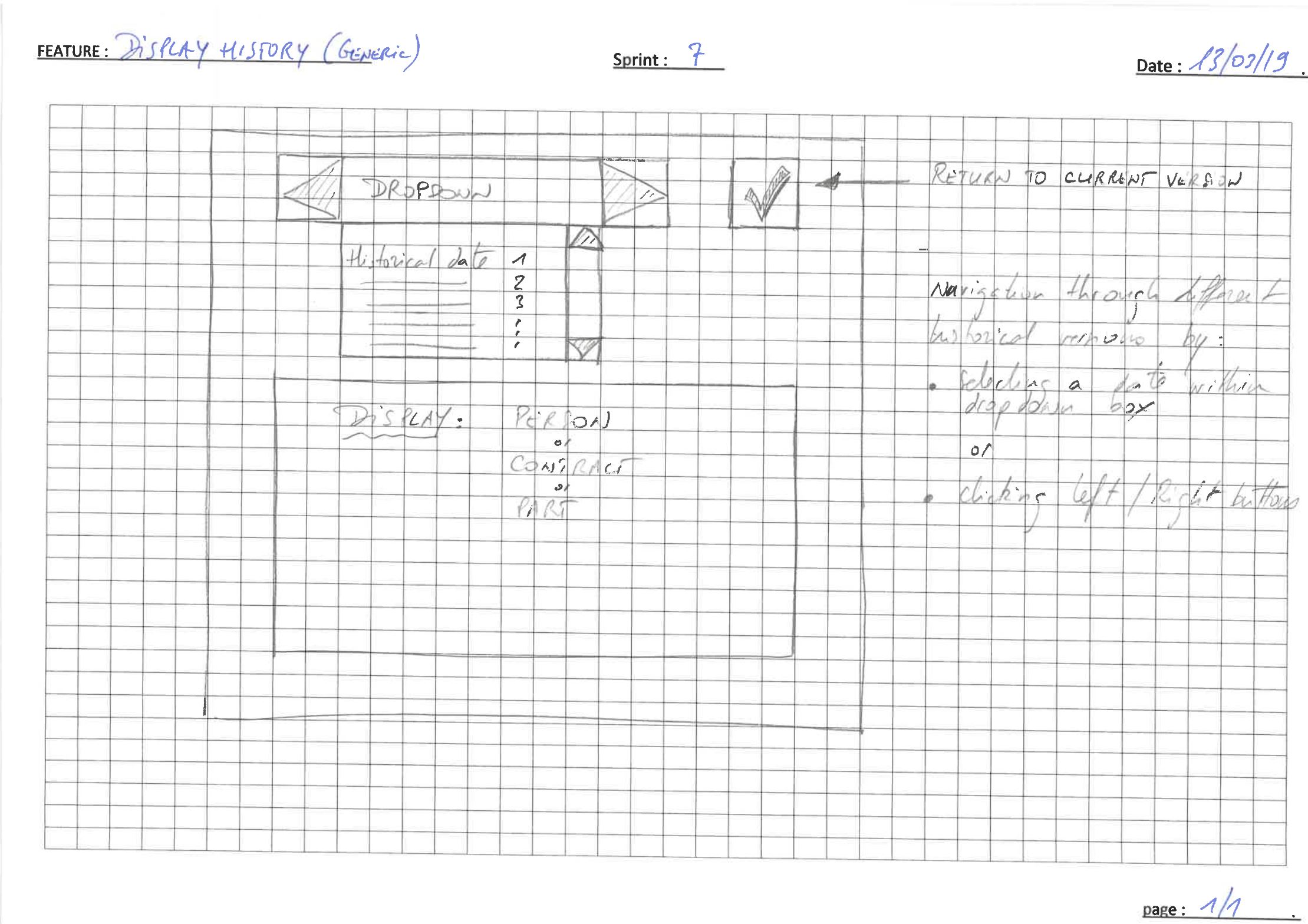
The sketchup below shows a way to display and navigate through history of main objects, like persons, parts and contracts.
History means the different versions of an object that occur during its lifecycle. For instance, a contract is first created, representing somehow a "0" version. Then some information are added = version 1 ; modification of information = version 2....
NOTE : historical versions displayed can NOT be changed. Only
current versioncan be changed, of course only if allowed.For instance, it might be that main object contains some action buttons, like e.g. "referencing a part" in a owner contract. So, it must be possible to reference a part only in the current version of this particular owner contract. When displaying old versions, action buttons have to be disabled.
Current versionmeans the latest, the up-to-date. According to explanation above, it would be the version 2.
Sketchup
There are 2 ways to navigate through history :
- by selecting a particular historical date shown within the dropdown box ;
- or by clicking on the left / right buttons